Phase Three · Inspection
Verify the Install
Five checks, top to bottom. If your install matches every screenshot and every log line on this page, you are running the exact reference configuration this manual was written against — Easy Red 2 v2.0.6, BepInEx 6 BE IL2CPP x64, and the full Ungodly loadout. Click any screenshot to inspect the untouched 1920×1080 original.
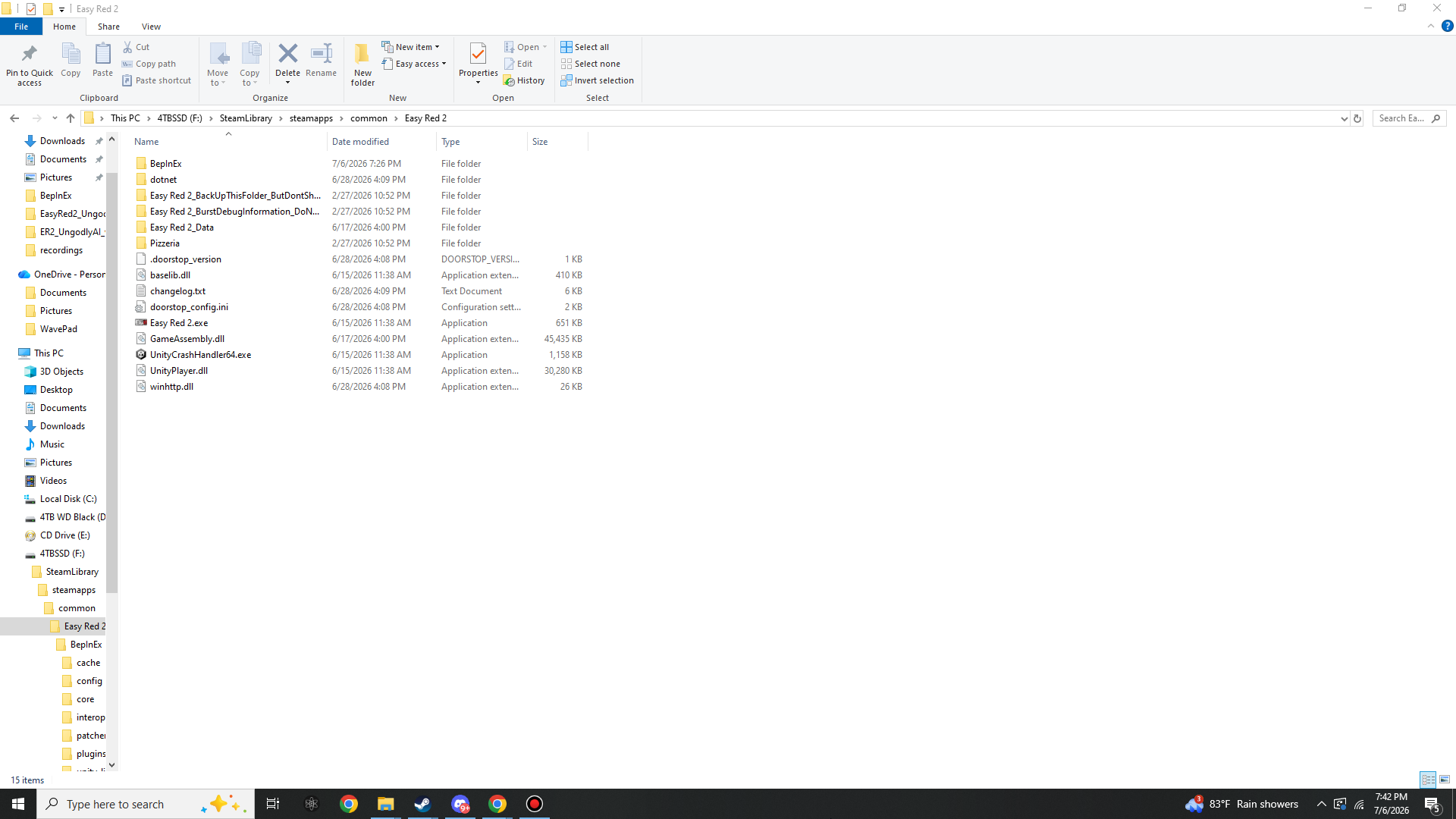
Check 1 — Game root
The loader files must sit next to Easy Red 2.exe:
BepInEx\, dotnet\,
.doorstop_version, doorstop_config.ini,
winhttp.dll (26 KB) and BepInEx's own
changelog.txt. With the Killstreak
Announcer installed, a KSounds\ folder also sits here, next to
BepInEx\ (it postdates this reference screenshot).
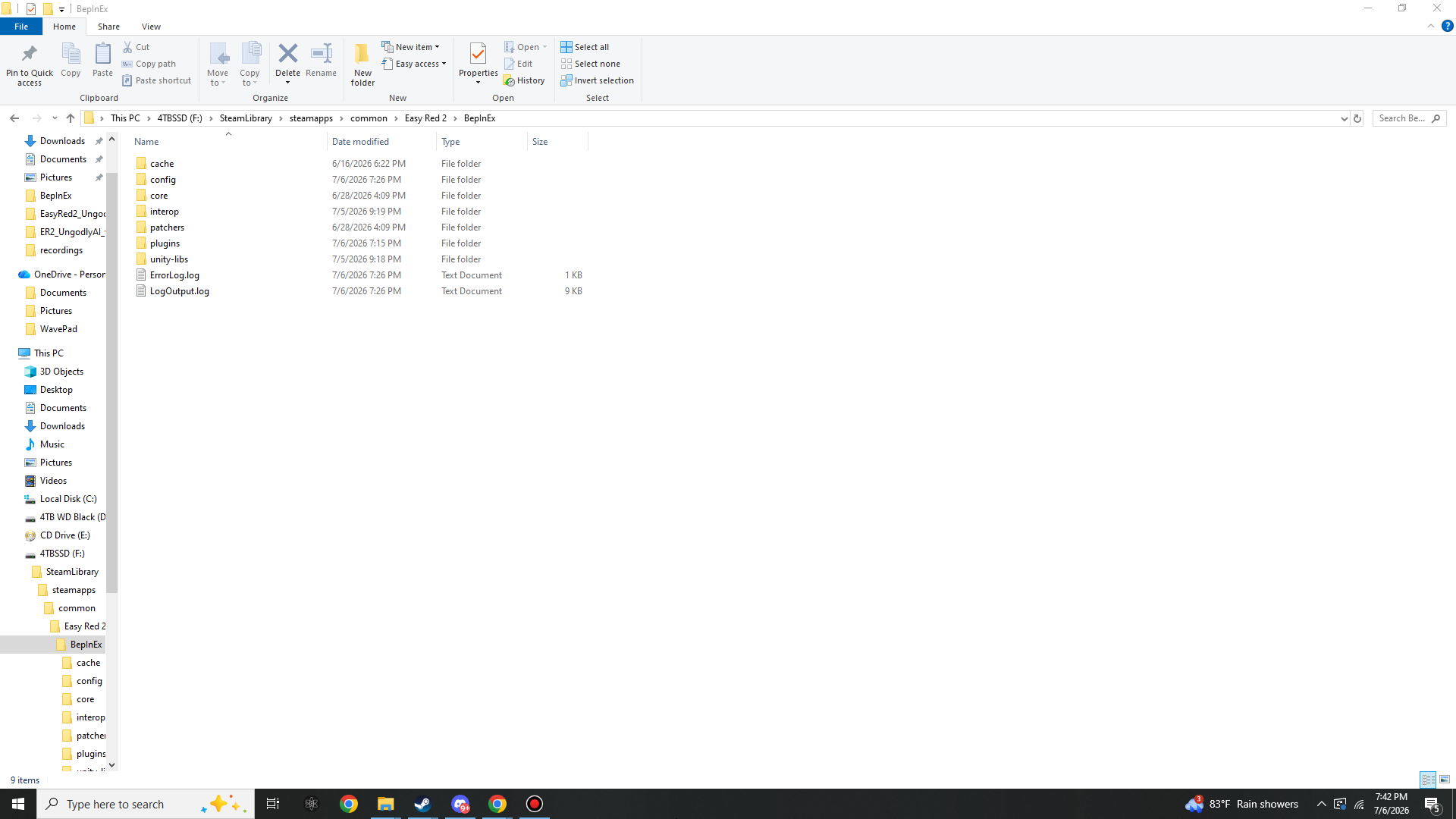
Check 2 — BepInEx working folders
These only exist after the game has been run at least once with BepInEx installed. The presence
of interop\ and a growing LogOutput.log is
proof the loader attaches:
Check 3 — Plugins
One DLL per mod inside BepInEx\plugins\ — the Ungodly trio sits
directly in the folder; the announcer may sit directly or in a subfolder, both work:
Easy Red 2\BepInEx\plugins\
|- StixsworldHD.EasyRed2.UngodlyAI.dll           288 KB   v2.17.0
|- StixsworldHD.EasyRed2.UngodlyBallistics.dll   109 KB   v3.0.0
|- StixsworldHD.EasyRed2.UngodlyGFX.dll          146 KB   v1.0.0
'- EasyRed2.KillstreakAnnouncer.dll               59 KB   v1.1.0  (subfolder OK)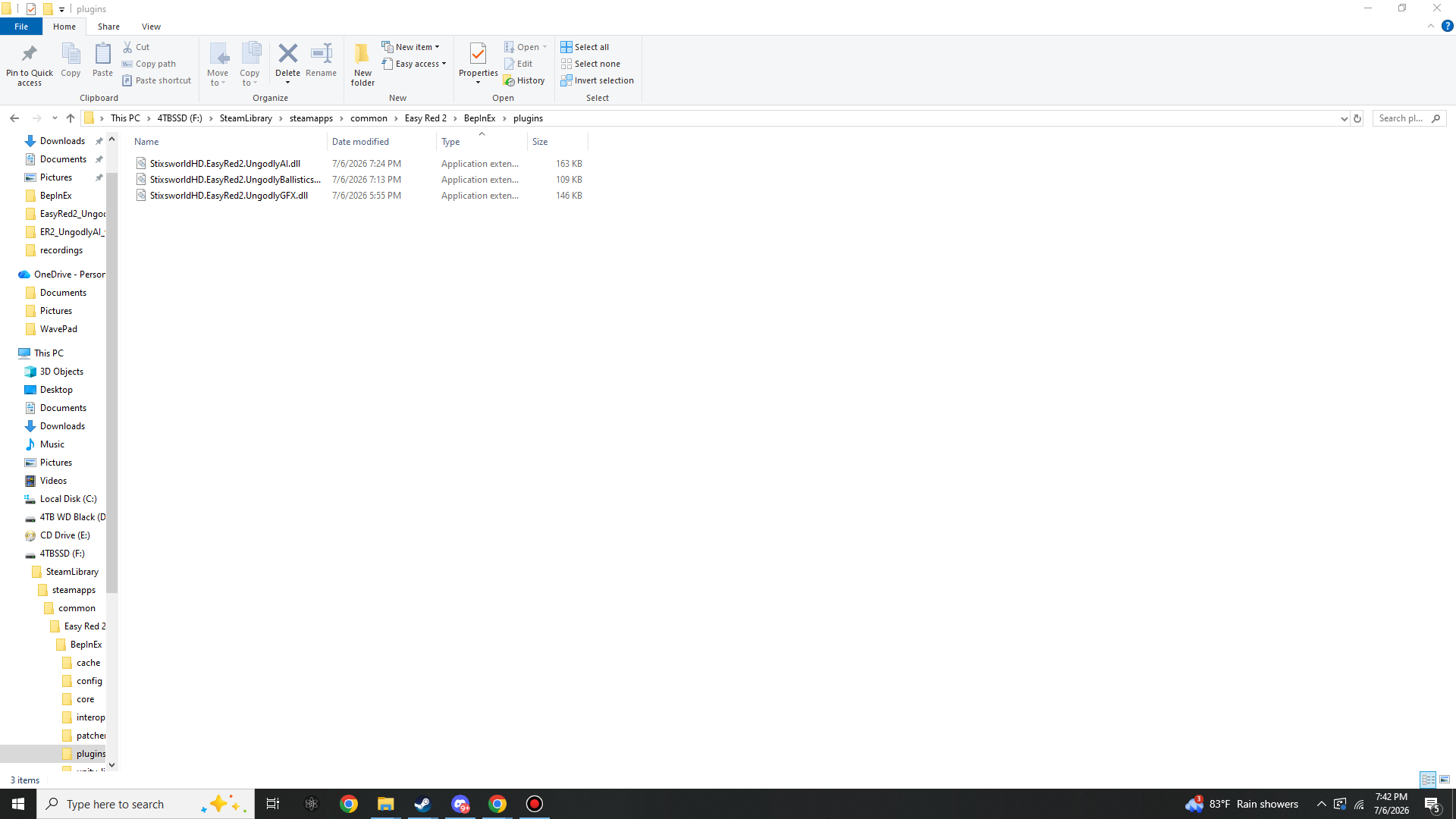
Check 4 — Config files
After each plugin's first launch, BepInEx\config\ holds a
fully-commented .cfg per mod beside BepInEx.cfg.
Every entry carries the same explanation, default and min/max range you see in the in-game hover
panels — edit them in any text editor, or let the GUIs write them with Save to file:
Easy Red 2\BepInEx\config\
|- BepInEx.cfg
|- com.stixsworldhd.easyred2.ungodlyai.cfg            202 settings / 30 sections
|- com.stixsworldhd.easyred2.ungodlyballistics.cfg     78 settings
|- com.stixsworldhd.easyred2.ungodlygfx.cfg           106 settings / 10 sections
'- com.stixsworldhd.easyred2.killstreakannouncer.cfg  sections 01-13, config-file-only mod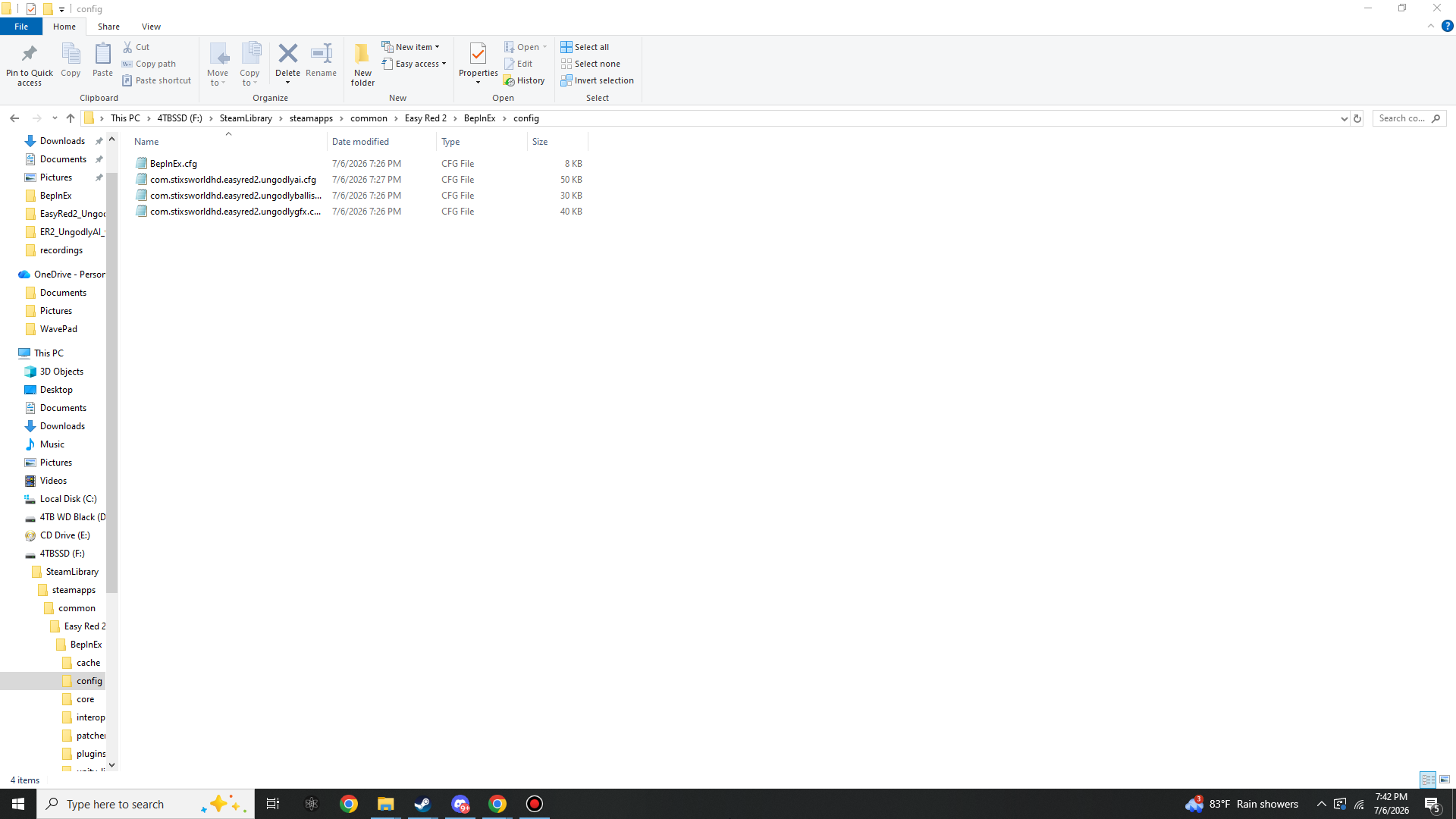
Check 5 — Log lines & hotkeys
Open BepInEx\LogOutput.log after a launch. A healthy full-stack load contains:
"UngodlyAI - Ungodly Madly Vastly Enhanced AI & Pathfinding Overhaul v2.17.0"
"Harmony patch groups: 9 applied, 0 failed."
UngodlyBallistics v3.0.0  ->  18 individually-guarded Harmony patches listed
UngodlyGFX ... is live
EasyRed2 Killstreak Announcer v1.1.0 banner
Indexed 701 sound files across 50 event categories (0 unmapped)
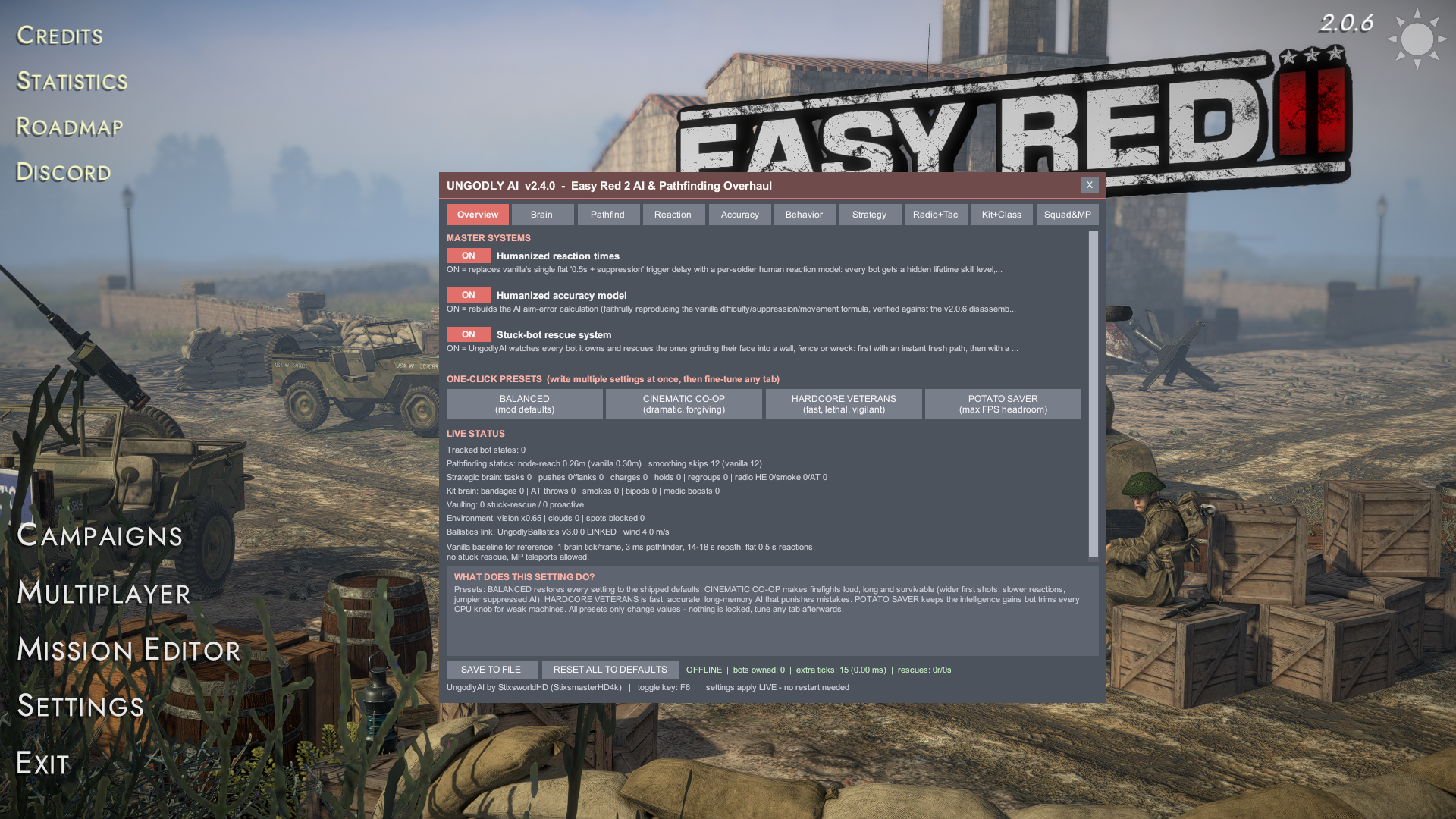
Then in-game — the three Ungodly windows on their default keys, and the announcer by ear:
F6 opens UngodlyAI v2.17.0 — Overview shows the master systems, presets, and live status including the map-guns, looting, cover-cycle, counterattack, melee, air-combat and armor/transport counters, and (with all three mods present) the line
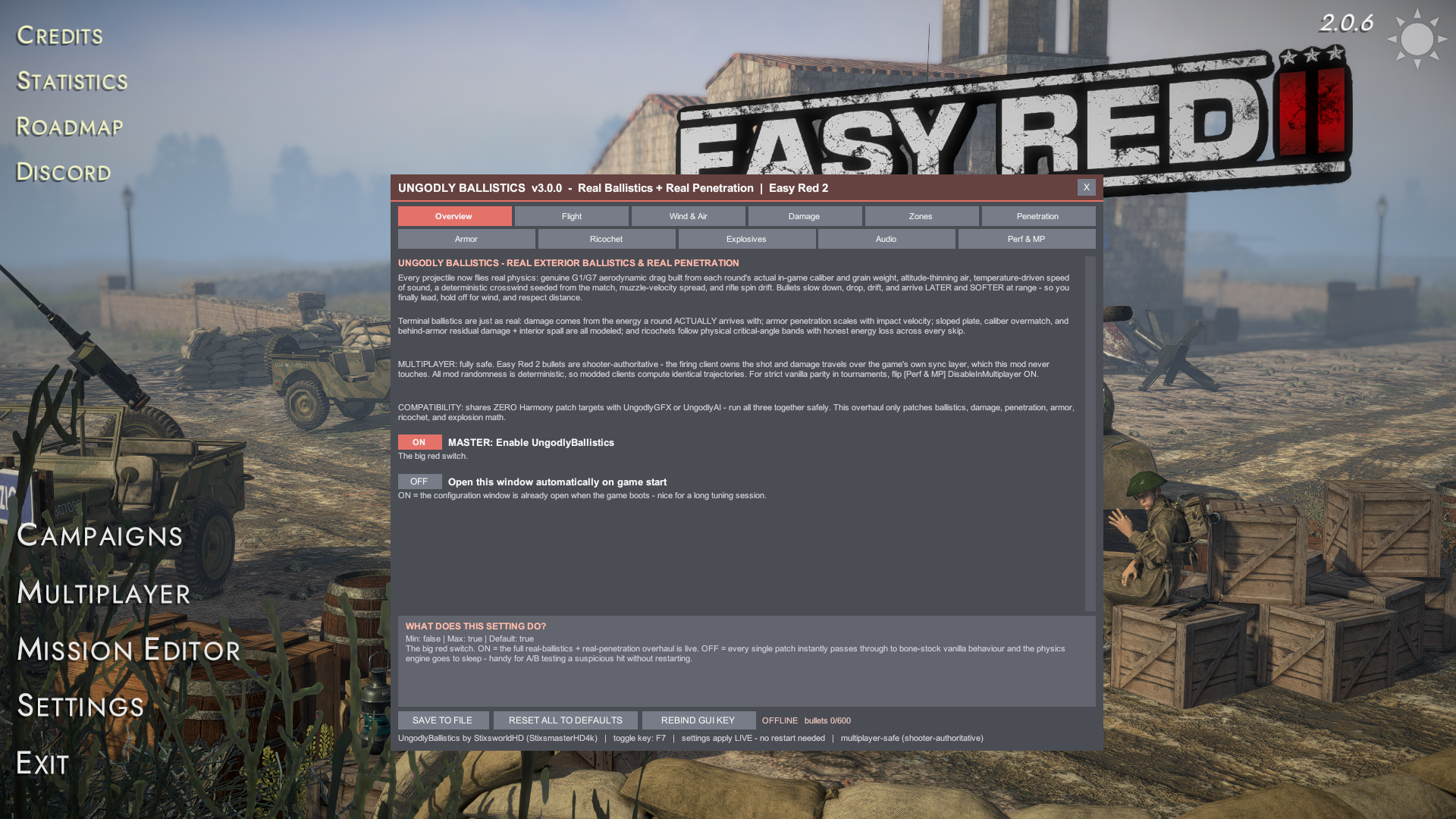
Ballistics link: UngodlyBallistics v3.0.0 LINKED.F7 opens UngodlyBallistics v3.0.0 — footer reads
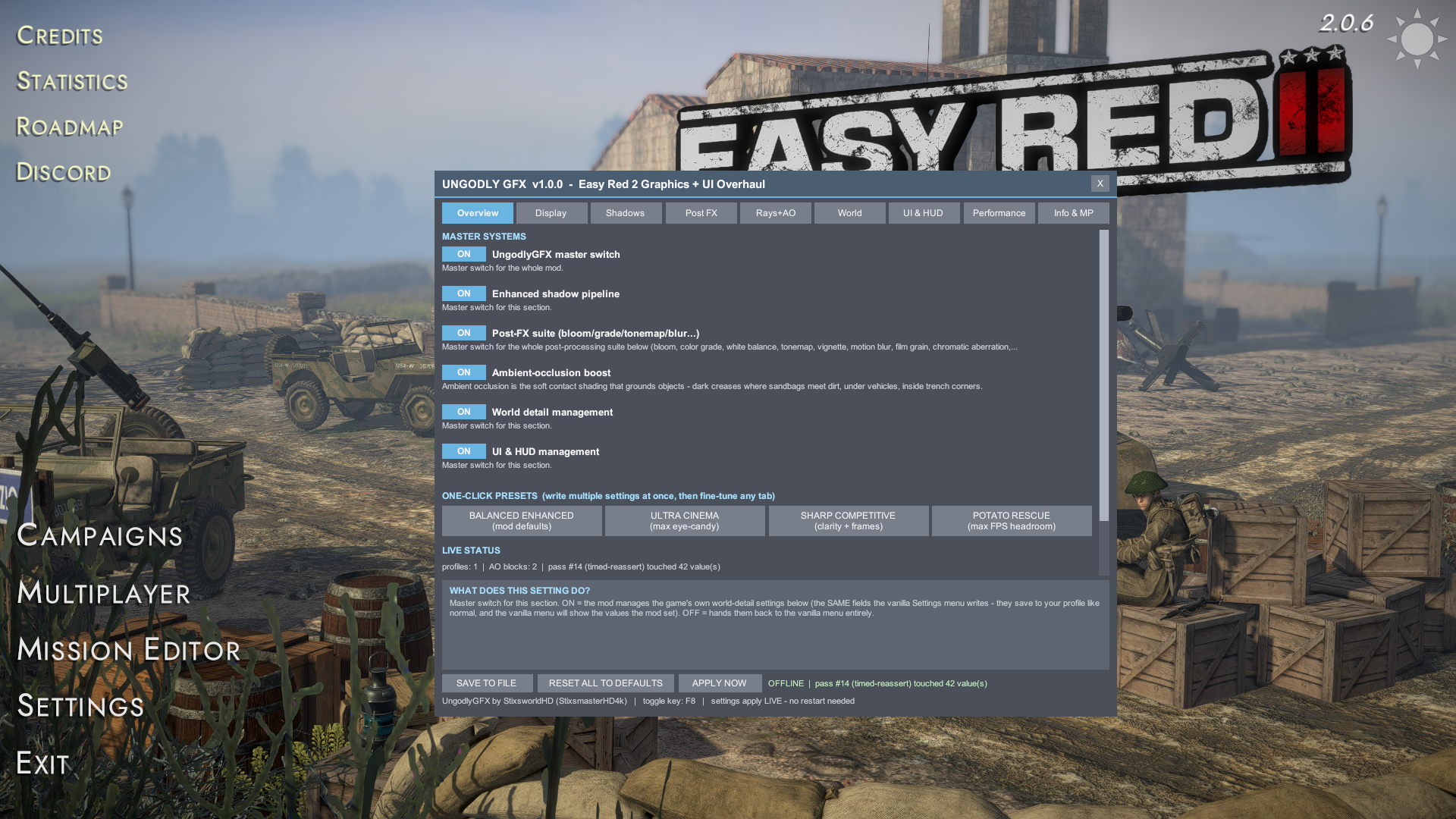
multiplayer-safe (shooter-authoritative)with livebullets 0/600usage.F8 opens UngodlyGFX v1.0.0 — Overview shows the master switches, four presets and a live
pass #N ... touched N value(s)status line.The Killstreak Announcer v1.1.0 has no window and no hotkey by design — its check is the two log lines above, then an ear check: your first enemy kill of a battle calls First Blood.
All five checks green? You're done — the whole stack is live, every setting applies without restarts, and multiplayer stays safe in any lobby mix. If anything failed, the Troubleshooting page walks the known failure points in order of likelihood.
Field Test
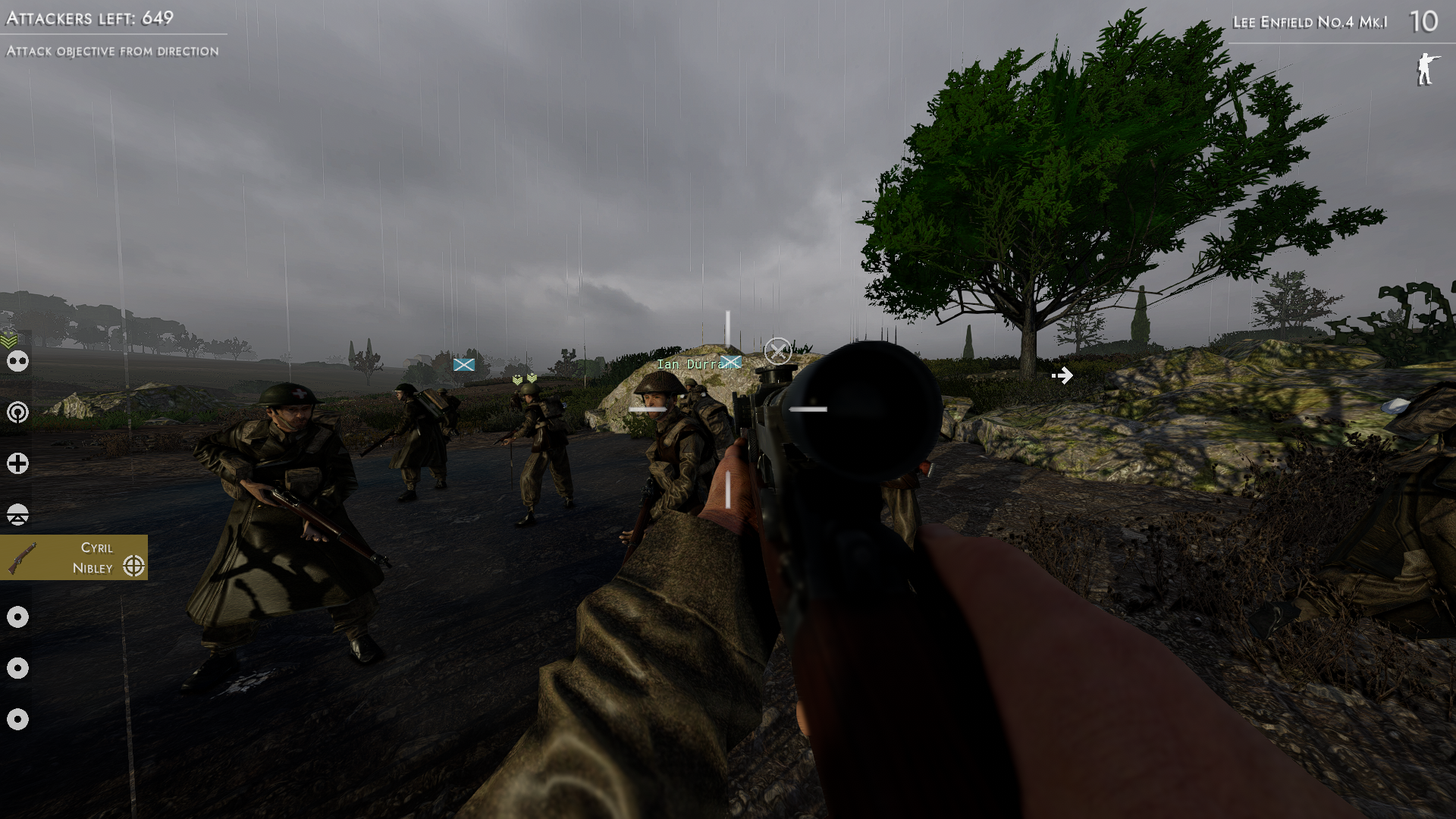
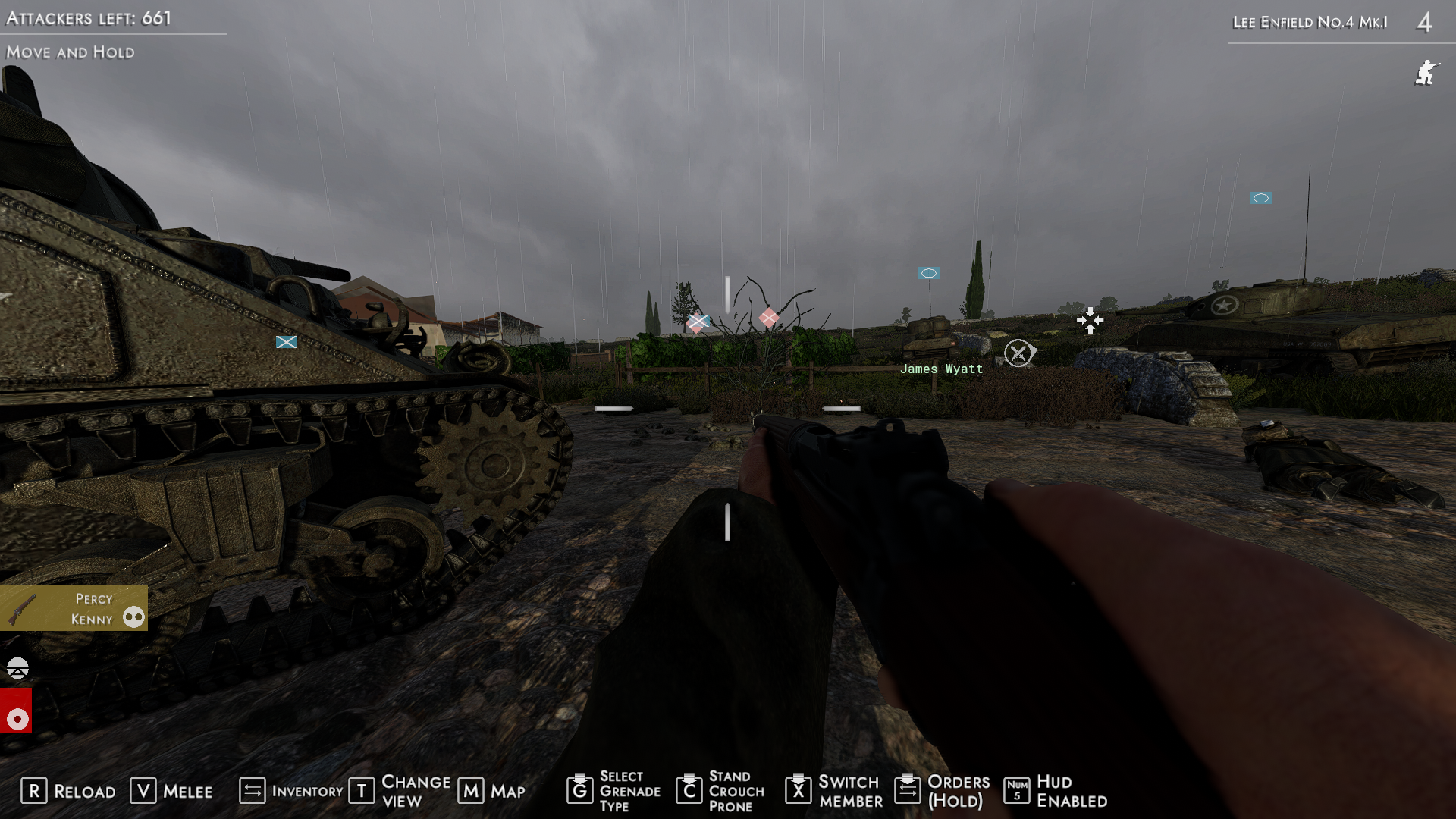
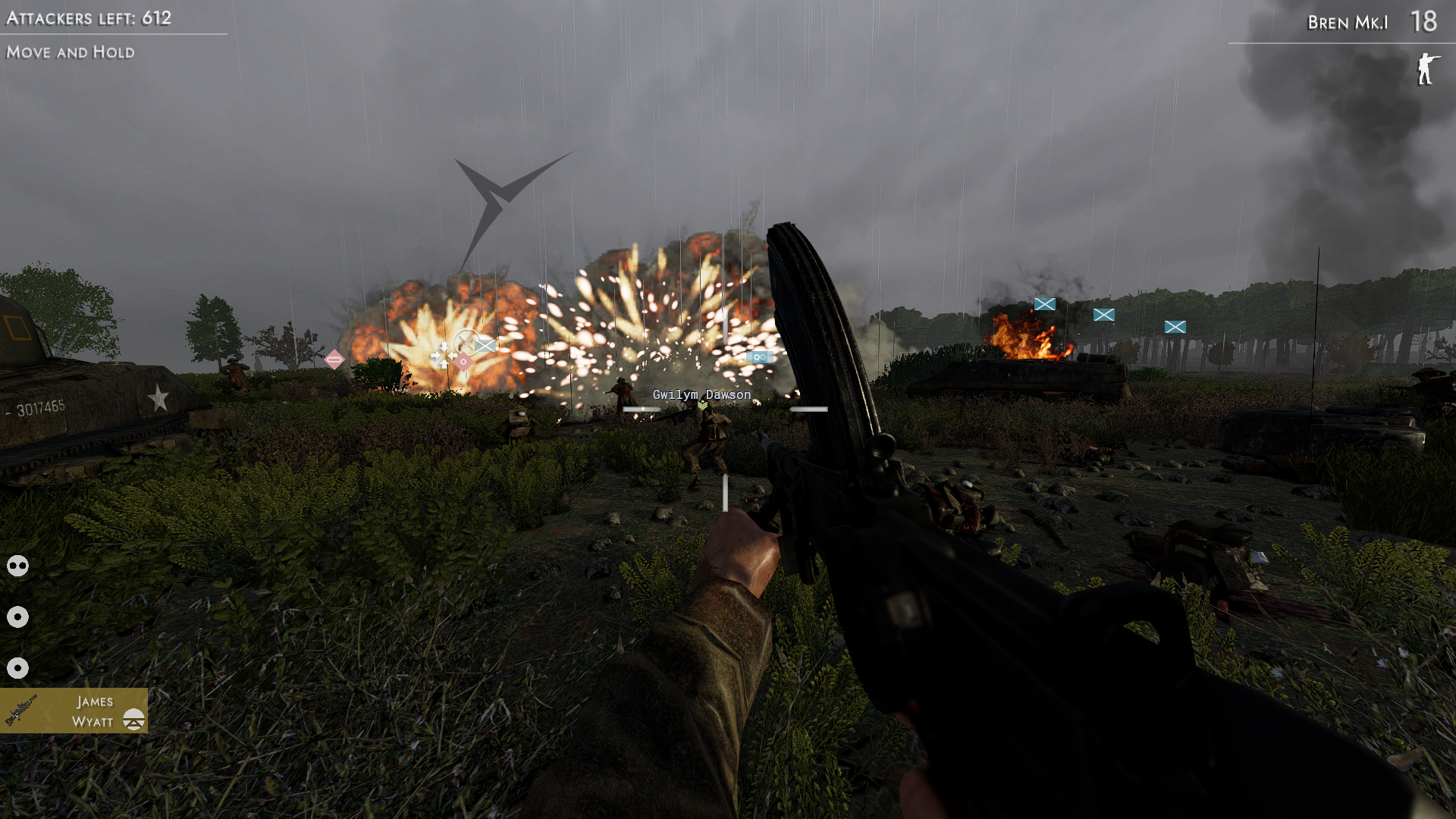
The reference install in action — squad discipline in the rain, armor-side holds, and a Bren covering an AI-called fire mission: